

Why revisit the 'shopify content calendar ai 2025' idea in 2026
Many merchants experimented with AI-driven calendars in 2025. That year introduced accessible AI prompts and template thinking for weekly campaigns, but several shops learned that a calendar alone doesn’t deliver consistent conversions. The 2026 update acknowledges progress in draft quality and automation while keeping a merchant-first lens: a plan must be reviewed, adjusted, and tied to product realities.
For store owners, this means treating AI as a planning partner, not an autopilot. Use AI to accelerate ideation, draft outlines, and generate visual concepts, but keep final decisions—timing, product focus, and editorial tone—under your control. Historical context helps: many 2025 tactics remain useful, but expect different priorities this year (inventory rhythms, holiday shifts, and content formats).
- AI saves time on ideation; merchants maintain editorial control.
- 2025 taught that calendar drafts need verification against inventory and promotions.
- Treat the calendar as a living plan, not a one-time output.
Designing a 52-week calendar that fits your Shopify rhythm
Start by plotting non-negotiable dates: product launches, known promotions, and supplier blackout periods. From there, layer content types—product pages, how-to guides, quick social posts, and longer blog articles—so each week has a clear primary objective (awareness, consideration, purchase). Balance sales-driven weeks with helpful editorial weeks to nurture repeat visitors.
Use AI to map themes and draft weekly prompts quickly, but build a simple rule set: limit major sales to X weeks per quarter, ensure at least one evergreen article per month, and schedule product-focused posts near stock arrivals. That structure reduces last-minute scramble and prevents over-saturation of promotional messaging.
- Identify immovable commerce dates first (launches, holidays).
- Assign a weekly content objective: sell, educate, or retain.
- Set simple rules to avoid promotion fatigue and ensure evergreen content.
Generating and curating content with AI while keeping accuracy
Ask AI for outlines, headline options, meta descriptions, and image concept prompts rather than full-publish-ready copy. This gives you fast variety without accepting unvetted claims. For each AI draft, add a checklist: factual accuracy, brand voice alignment, product detail verification, and internal links to product pages or guides.
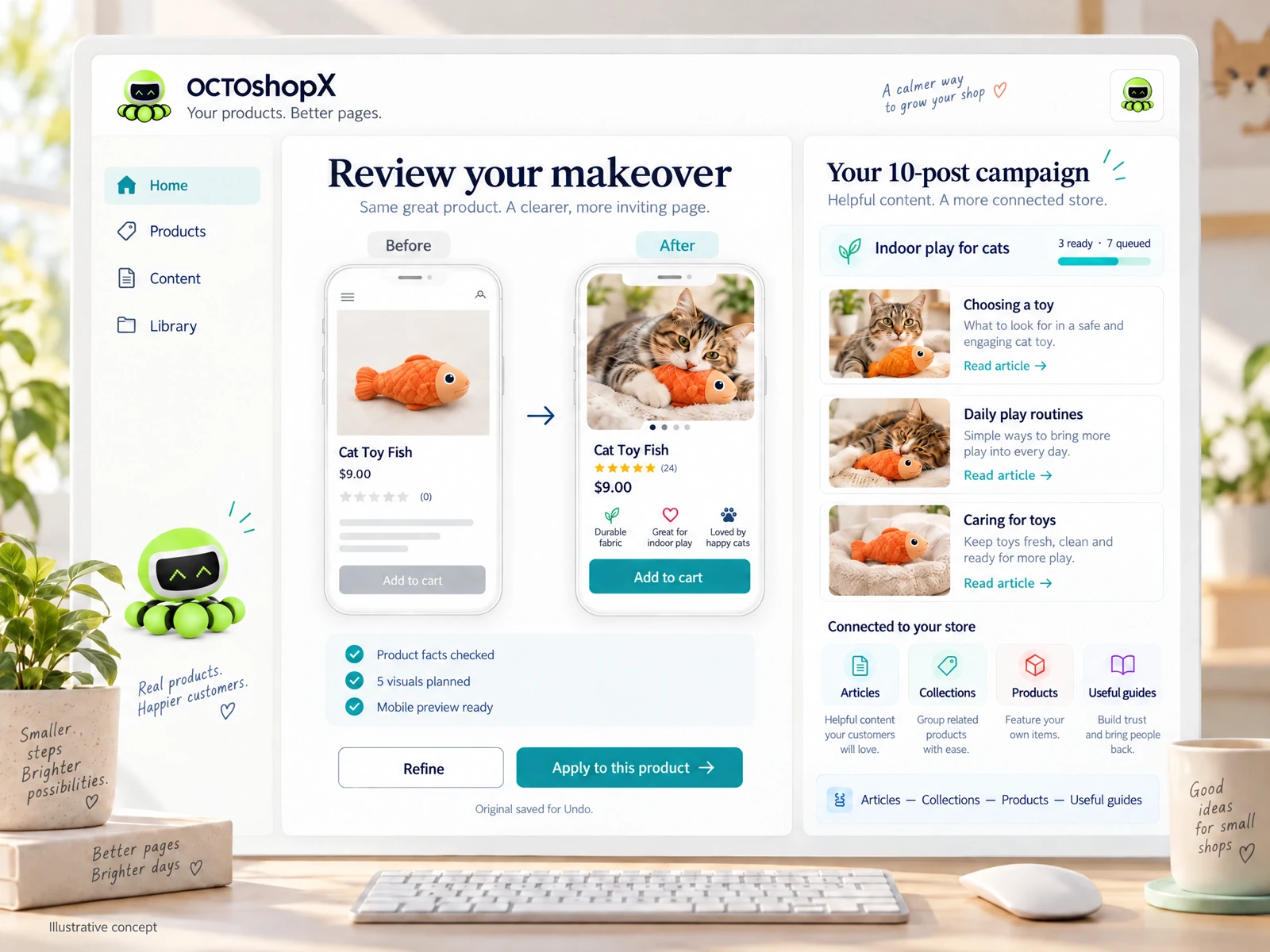
Visuals benefit from AI concepts, but review them carefully. A generated image idea may suggest a prop or lifestyle scene that doesn’t match your SKU, packaging, or legal usage. Always preview visuals in context—product page mockups, social tiles, and blog feature images—before scheduling or applying them live.
- Use AI for outlines and options; reserve final edits for in-house review.
- Create a fact-check checklist focused on product specs and claims.
- Preview image concepts in page mockups to avoid mismatched visuals.
Weekly workflow: from AI draft to scheduled publish
Create a short, repeatable workflow: (1) weekly AI brief and draft generation, (2) merchant review and fact-check, (3) assets preview and replace as needed, (4) schedule or publish, and (5) quick post-publish checks. Keep steps lean—repeatability is more important than creativity each week. Track who signs off at each step to avoid finger-pointing when something goes wrong.
Practical examples: Monday — generate three blog outlines from AI; Tuesday — pick one and run product checks; Wednesday — prepare images and preview; Thursday — finalize SEO elements; Friday — schedule and promote. If you run small stores with 1–10 products, compress this into a two-day sprint for less overhead.
- Use a five-step weekly pipeline: draft, review, preview, publish, check.
- Assign clear sign-off responsibilities to avoid delays.
- Compress the sprint for very small catalogs to keep momentum.
Read the connected-content guide or explore product and blog specimens.
Measuring impact and iterating without over-optimizing
Focus on a few practical metrics that reflect your goals: page views for awareness posts, add-to-cart for product content, and conversion rates for promotional weeks. AI can help summarize performance trends, but use raw data to decide which themes repeat. Avoid chasing minor uplifts driven by seasonal noise—prioritize repeatable wins.
Set monthly review checkpoints to prune or expand themes, reassign high-performing articles to new product pages, and refresh visuals. Small edits—updated CTAs, clearer internal links, or refreshed hero images—often yield better returns than wholesale rewrites.
- Track a short list of goal-aligned metrics, not every vanity number.
- Use monthly checkpoints to refresh content and reassign top performers.
- Prioritize incremental updates over full rewrites for steady improvement.
Scaling the calendar: multi-product, small-catalog, and blog campaigns
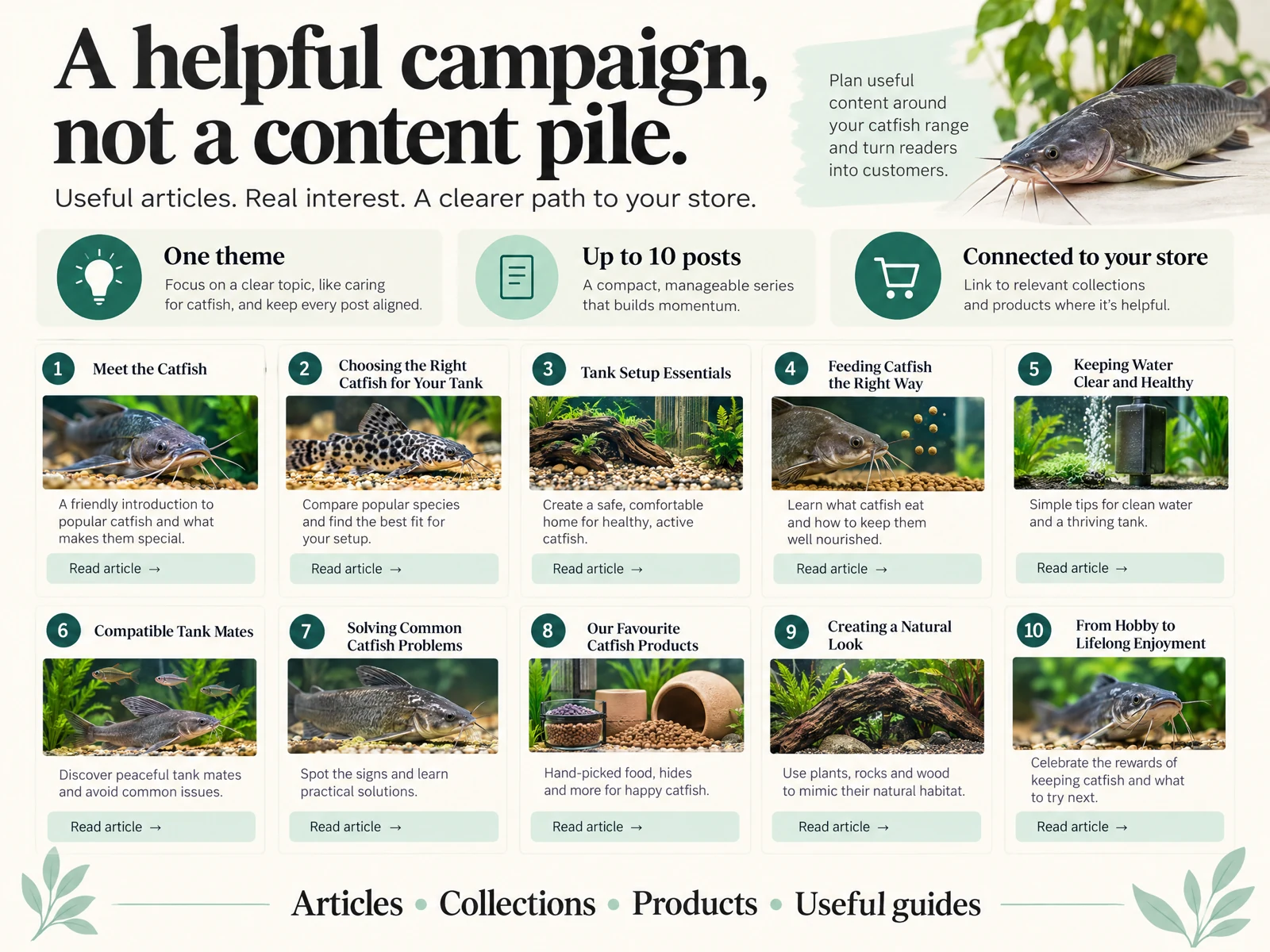
For merchants with 1–10 key products, focus on depth: create dedicated product guides, comparison pages, and a handful of strong blog posts that link directly to product pages. Use AI to generate variations and language tailored to buyer personas, then test which angle appeals to each segment. Keep your internal linking intentional—each guide should funnel to a small set of priority SKUs.
If you run a wider catalog or want multiple simultaneous campaigns, group products by theme and rotate focal items across the 52 weeks. Limit visuals per page and article so each piece remains focused and fast-loading. Remember: a generic connection or automated output doesn’t guarantee faithful visuals, clear layout, useful reviews, or strong internal links—those require human review and structured templates.
- Small catalogs benefit from deep, linked guides; prioritize a few SKUs per article.
- Group larger catalogs by theme and rotate focal products.
- Always review automated visuals and links; templates help keep layouts consistent.
Can I rely solely on AI to create a full year of posts?
No. AI is excellent for drafts, ideas, and variations, but you should verify facts, review visuals, and confirm promotional timing against inventory. Treat AI outputs as starting points; build a review workflow so every publish aligns with your brand and product reality.
How often should I refresh evergreen articles in a 52-week plan?
Plan brief refreshes every 3–6 months: update product links, check stock and prices, refresh images if packaging changed, and tweak CTAs. Monthly performance checkpoints will tell you which evergreen pieces need attention sooner.
What’s the best way to keep AI-generated visuals on-brand?
Generate concepts and then create or commission assets that match your actual products, packaging, and lifestyle. Preview visuals in page mockups, maintain a brand asset library with approved colors and props, and reject any generated image that suggests inaccurate product usage or mismatched packaging.
Install OCTOshopX. Give your store one clear job.
Apply these workflows, keep AI outputs under human review, and align every calendar week with product realities. Install OCTOshopX.
A calm Shopify Product & Blog Studio: 5–10 useful visuals, connected articles and products, preview before publishing, and 1-Click Undo when needed.