

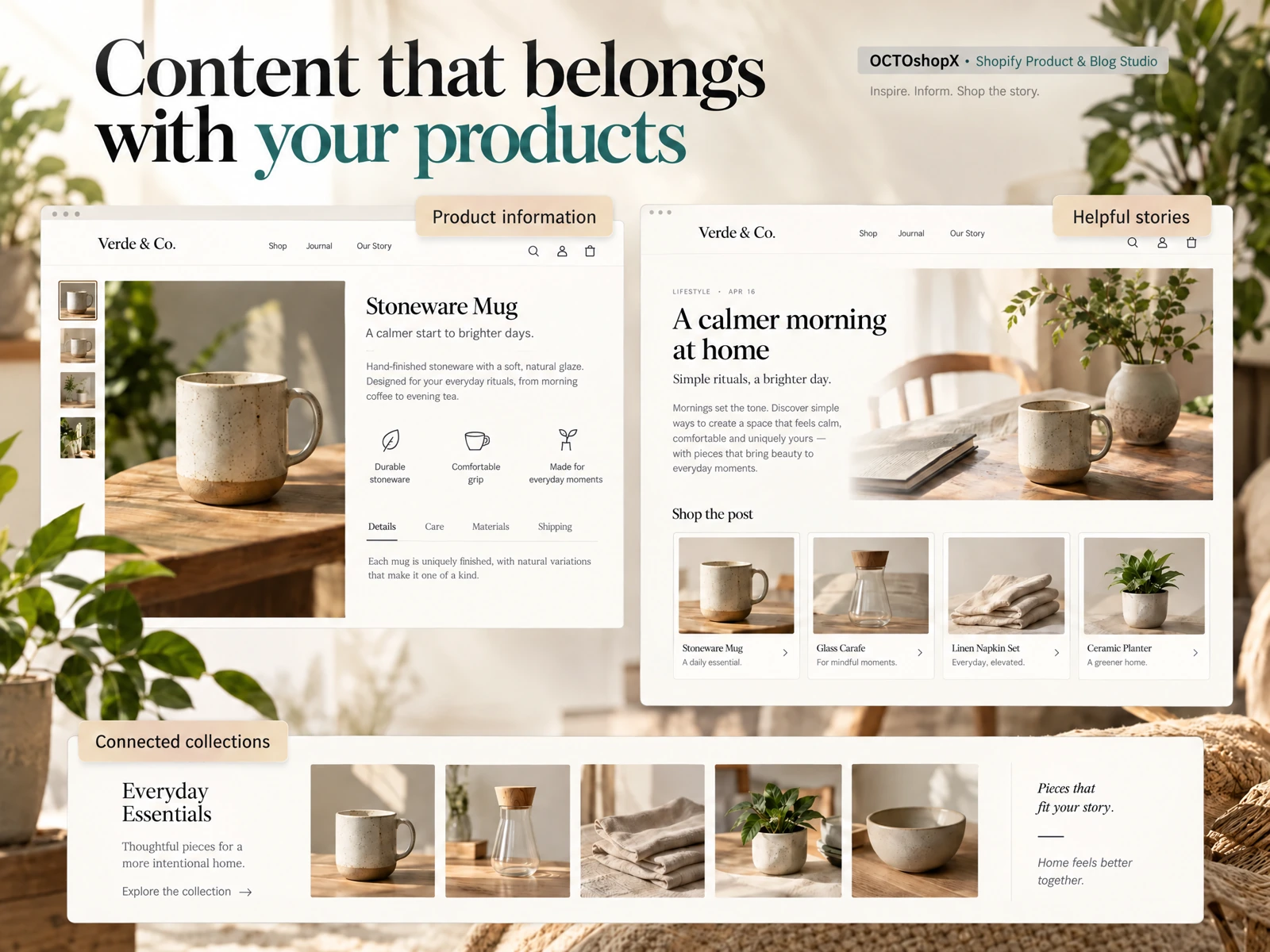
Why merchants automate WordPress blog publishing AI workflows
Small-shop owners juggle product updates, customer support, and marketing. Automating WordPress blog publishing AI reduces repetitive tasks like formatting, meta generation, and scheduling so you can focus on product strategy and customer experience. This approach is especially useful for stores with a few core products or seasonal launches that need consistent content without constant manual edits.
Historically, many guides in 2024–2025 focused on plugins or single-platform authoring tools. The 2026 merchant approach favors external drafting and quality-control pipelines that push final posts into WordPress via standard publishing interfaces, avoiding plugin dependencies while keeping control over content and site stability.
- Free up time by automating drafts, images, and seasonal scheduling.
- Keep site stability by avoiding new plugin installs on production stores.
- Use a controlled pipeline to maintain brand voice and compliance.
Design a safe content pipeline before automating publishing
Start with a clear, repeatable pipeline: brief, draft, human review, visual assets, preview, and publish. Define responsible checkpoints—who approves product claims, which team verifies facts, and how revisions are tracked. For merchants, this lowers risk of mistakes reaching customers and ensures legal or product-specific details always get human confirmation.
Include a preview step that recreates the post appearance inside your store theme. A generic connection can move text and images, but it does not guarantee faithful visuals, clear layouts, reviewable internal links, or good SEO metadata unless you check them. Build lightweight routines to evaluate titles, excerpt length, internal links, and featured image crops before scheduling.
- Map each stage: brief → draft → review → assets → preview → publish.
- Assign a reviewer for product detail accuracy and policy compliance.
- Preview posts in your theme to confirm layout and link behavior.

Practical merchant workflows for creating AI-driven posts
Use templates tied to common store needs: product launch posts, how-to guides, seasonal gift guides, and restock announcements. Provide the AI draft with a short merchant brief: target audience, product details, tone, call-to-action, and required links. For example, a brief for a new candle line includes fragrance notes, sizing, price range, and a link to the product collection to ensure accurate cross-links.
Limit each automated campaign to manageable batches—1–10 posts per run works well for hands-on shops. That size lets you produce multiple drafts, review them, and schedule publishes without overwhelming reviewers. Keep variations small: alternate headlines, 1–2 image options per post, and a single canonical internal link to track performance.
- Use brief templates for different post types (launch, guide, restock).
- Batch 1–10 posts per campaign to retain review quality.
- Include canonical internal links and a single call-to-action per post.
Images, layout and accessibility considerations
Visuals matter. Plan for 5–10 visuals per page or article where appropriate—hero image, product close-ups, lifestyle shots, and accessibility-friendly alt text. An automated image plan should include suggested crops, file-size targets, and alt-text drafts that reviewers can quickly edit. Remember that auto-generated visuals may need stylistic tweaks to match your brand.
Don’t rely on a connection alone to preserve layout or internal link clarity. Confirm that featured images, captions, and inline galleries render correctly in your theme and do not break responsive layouts. Also enforce basic accessibility checks: alt text, sufficient color contrast in images, and readable font sizes for any embedded visual text.
- Plan 5–10 visuals per article and provide editable alt-text drafts.
- Preview images in your theme to verify responsive layout.
- Run quick accessibility checks on alt text and contrast.
Read the connected-content guide or explore product and blog specimens.
Scheduling, cadence and measuring value
Choose a cadence that aligns with your resources—weekly or biweekly works for most small shops. Automate scheduling but stagger publishes so reviewers can monitor early performance and correct course. For seasonal pushes, concentrate multiple posts over short campaigns and use analytics windows to review customer engagement and product lift.
Measure meaningful signals: internal search queries, product page visits from posts, email signups, and direct conversion on linked products. Raw automation does not guarantee useful internal links or faithful visual presentation; tie each published article to a short checklist that includes link click tests and a reviewer-signed confirmation before marking a campaign complete.
- Pick a sustainable cadence (weekly/biweekly) and stagger publishes.
- Track product page visits and conversions from blog posts.
- Require link-click tests and reviewer confirmation after publish.
Risk management, review loops and long-term maintenance
Implement explicit review loops: subject-matter reviewer, marketing editor, and final approver. Maintain an edit log for each post so you can roll back changes or restore original drafts if needed. Expect and plan for content drift—product details and pricing change—so add periodic reviews for evergreen posts linking to product pages.
Plan a simple maintenance schedule: quarterly audits for top-performing posts, and immediate updates for posts tied to product pages when product data changes. Automation can speed content creation, but it doesn’t eliminate the need for ongoing oversight to keep information accurate and brand-safe.
- Create a multi-step review loop with final approver sign-off.
- Keep edit logs and a restore point for each published post.
- Schedule quarterly audits for evergreen content linked to products.
Can I fully trust AI drafts without human review?
No. AI can draft useful copy, but merchants should always verify product details, pricing, compliance and claims before publishing. Treat AI drafts as starting points that require at least one subject-matter reviewer and a marketing editor for tone and links.
Does automating publishing require installing a WordPress plugin?
No. You can automate by using an external content pipeline and standard WordPress publishing interfaces. Avoiding extra plugins reduces site complexity, but you must still confirm that the connection preserves layouts, media, and internal links through preview and quality checks.
How many posts should I automate at once?
For most small shops, batch sizes of 1–10 posts per campaign balance efficiency and reviewability. Larger batches increase the review burden and the risk of mistakes slipping through.
Install OCTOshopX. Give your store one clear job.
Automate WordPress blog publishing AI thoughtfully: use tight briefs, small batches, preview checks, human review, and scheduled audits to keep content accurate and brand-consistent. Install OCTOshopX.
A calm Shopify Product & Blog Studio: 5–10 useful visuals, connected articles and products, preview before publishing, and 1-Click Undo when needed.