


Why 2025-era AI still matters to WordPress bloggers in 2026
Many merchants and bloggers learned in 2025 that AI could accelerate drafting, image generation, and SEO experiments, but the technology did not replace editorial judgment. For WordPress store blogs, the most useful tools were those that produced structured drafts, suggested internal links, and delivered visuals you could preview in context. In 2026, those capabilities still matter; however, you must treat AI outputs as starting points before publishing.
Practically, think of 2025-era AI as an assistant that reduces busywork: first drafts, meta descriptions, topic clusters and rough visual concepts. Use these outputs for faster iterations, not as finished copy. Always check facts, brand voice consistency, and product-match visuals before pushing content live on WordPress or your Shopify-linked product pages.
- Use AI for outlines, not final copy—edit for voice and accuracy.
- Treat images as mockups that often need retouching or replacement.
- Audit suggested internal links and calls to action before publishing.
Choosing tools that respect your editorial workflow
When evaluating options that were popular among WordPress bloggers in 2025, prioritize how a tool fits your existing editorial routine. Does it output clean HTML or plain text? Can you get short, medium and long versions of a description quickly? For store owners, the ability to craft product-aware content — linking product names and SKU pages — matters more than flashy generative demos.
Also consider review and approval steps. A tool that lets you generate multiple alternate intros or images and save versions for team feedback will integrate better than one that only offers single-shot generation. The goal is to reduce friction for repeat campaigns: product launches, seasonal guides, and weekly blog sequences.
- Prefer tools that export plain text or block-compatible HTML for WordPress.
- Look for multi-version outputs to support A/B drafts and approvals.
- Ensure generated content can be tracked and reviewed by editors or partners.
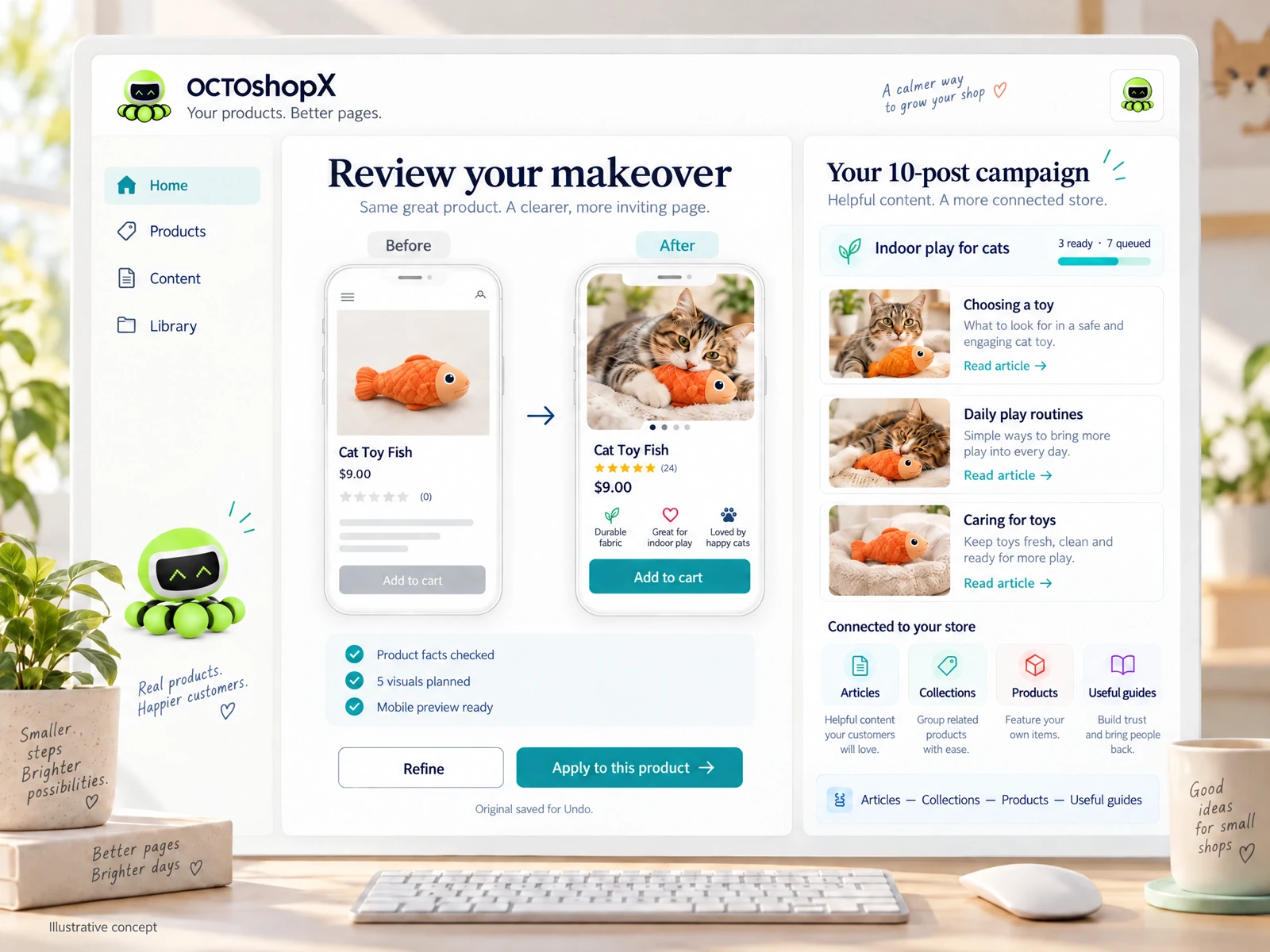
Visuals and product photos: expectation vs. reality
In 2025 many bloggers used AI-generated visuals for hero images, social cards, and concept mockups. Those visuals often required further edits to match product colors, labels, or legal requirements. For merchants, the practical approach is to use AI imagery as a concept stage — a fast way to validate composition, mood and copy overlays before committing to a photoshoot or designer adjustments.
When you need final product visuals on WordPress posts, rely on human review and replace or refine AI drafts. Keep a clear workflow: concept generation, in-house or freelance retouch, legal/logo checks, and then final upload. This reduces the risk of mismatched brand presentation or incorrect product representation in blog posts.
- Use AI for mood boards and concept hero images, not final product shots.
- Plan a retouch step to correct colors, labels and legal text.
- Preview images inside your WordPress theme before publishing.
SEO and audience-first content: practical workflows
The best ai tools wordpress bloggers 2025 were valued for quick topic validation and generating keyword-aware outlines. For merchants in 2026, keep workflows simple: use AI to produce an outline with suggested headings and meta descriptions, then craft the body by prioritizing product relevance and shopper questions. Always cross-check keyword intent — long lists from a tool are less valuable than a prioritized set tied to buyer needs.
Use AI to draft multiple meta descriptions and social snippets, then test which tone converts best over several weeks. Track changes and performance in your WordPress analytics or store metrics, and iterate. Small, controlled experiments — changing one headline or CTA at a time — will teach you more than sweeping edits suggested by a single AI run.
- Generate outlines and 3 meta options, then A/B test in small batches.
- Align headings with buyer intent and product pages before publishing.
- Measure performance and iterate—don’t trust a single AI output as truth.
Read the connected-content guide or explore product and blog specimens.
Efficiency for small catalogs: workflows for 1–10 product makeovers
Merchants with a handful of products can get the most tangible returns by running focused campaigns: update product descriptions, create matching blog posts, and generate cohesive visuals. A practical campaign sequence is: audit product pages, create a single narrative that connects products, produce 2–4 blog posts that deep-dive into use cases, and create hero images for each piece. This concentrates your effort and keeps momentum.
Save time by batching similar tasks: write all outlines first, then generate visuals, then do copy edits and SEO tweaks. Keep an undo-friendly workflow so you can preview changes and revert if an AI output misaligns with real product attributes. This step prevents publishing inaccuracies and preserves buyer trust.
- Batch outlines, visuals, and edits for 1–10 product campaigns.
- Preview changes and keep an undo path before applying to live posts.
- Link blogs to product pages with clear CTAs and consistent messaging.
Risk management: factual checks, review loops and legal notes
AI drafts can introduce factual errors, invented specs, or overstated claims. For merchants, this risk translates into returns, complaints, or regulatory issues. Always verify claims — dimensions, materials, shipping estimates — against product records and supplier documentation before including them in WordPress posts or product descriptions.
Establish a simple review loop: writer/editor, product lead, and legal/compliance check when necessary. Keep versioned backups and a clear publication checklist that includes factual verification, image licensing review, and internal link accuracy. This reduces downstream fixes and preserves the credibility of both your blog and storefront.
- Verify specifications and claims against product records before publishing.
- Require at least one human review for any AI-generated claims or specs.
- Keep versioned backups and a checklist for final publication checks.
Can AI replace my WordPress editorial team?
No. AI speeds up drafting and ideation, but human editors are essential for voice, accuracy, legal checks and product-fit decisions. Treat AI as a productivity assistant rather than a replacement.
How should I handle AI-generated images for product pages?
Use them as concepts or social images after retouching and color/label checks. For primary product photos, prefer verified photos or professionally retouched images to avoid misrepresentation.
Are simple keyword lists from AI enough for SEO?
Not by themselves. Prioritize keywords by buyer intent and tie them to real product pages. Use AI outlines as a starting point, then refine headings and CTAs based on analytics and customer questions.
Install OCTOshopX. Give your store one clear job.
Practical AI use for WordPress bloggers means integrating generation with review, versioning and product checks. Focus on targeted campaigns, batch workflows, and always verify facts and visuals before publishing. Install OCTOshopX.
A calm Shopify Product & Blog Studio: 5–10 useful visuals, connected articles and products, preview before publishing, and 1-Click Undo when needed.